
AusAlert national test and Safety Devices: What you need to know
On Monday the 27th of July, the Australian Government is conducting a test of AusAlert, the new national emergency warning system.
AusAlert is a fast and reliable way to help communities be informed and better prepared during local and national emergencies such as bushfires, severe weather and public health emergencies. It will be ready to use from October 2026, but before it launches, the system needs to be tested across Australia.
Here is what you can expect during the AusAlert national test:
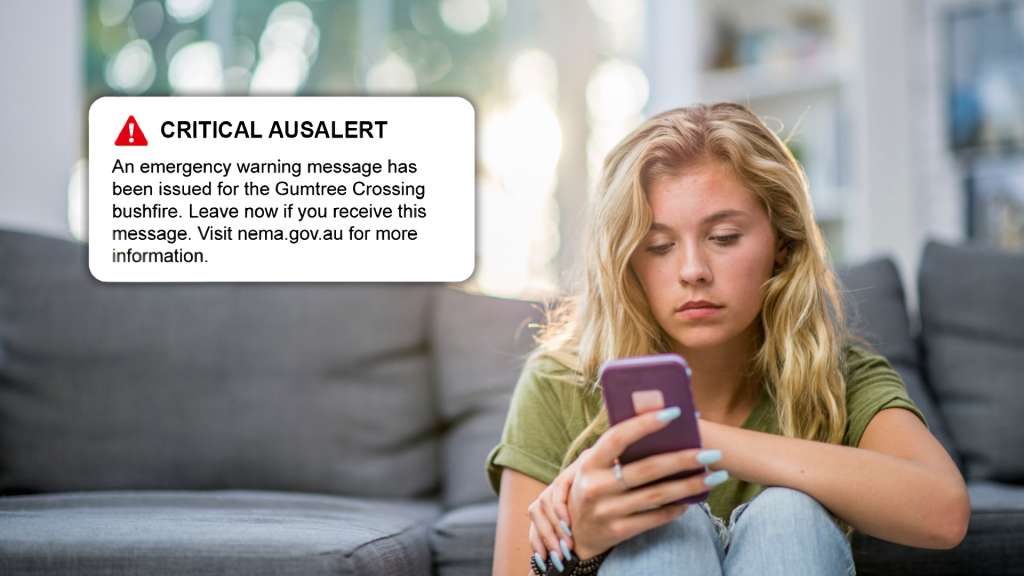
- The Alert: Compatible mobile phones, smartwatches, and tablets will play a loud siren-like sound for about 10 seconds, vibrate, and turn the screen on automatically.
- Silent Mode: The alert is designed to bypass “Silent” and “Do Not Disturb” settings, so phones will make noise even if muted.
- No Action Needed: A message will pop up on your screen stating that it is only a test. You simply need to dismiss it.
The schedule of the test across all states:
Australian Capital Territory (ACT)
2:00 PM (AEST – UTC+10:00)
New South Wales (NSW)
2:00 PM (AEST – UTC+10:00)
Queensland (Qld)
2:00 PM (AEST – UTC+10:00)
Tasmania (Tas)
2:00 PM (AEST – UTC+10:00)
Victoria (Vic)
2:00 PM (AEST – UTC+10:00)
Northern Territory (NT)
1:30 PM (ACST – UTC+9:30)
South Australia (SA, incl. Broken Hill)
1:30 PM (ACST – UTC+9:30)
Western Australia (WA)
12:00 PM (AWST – UTC+8:00)
Christmas Island
11:00 AM (CXT – UTC+7:00)
How do I stay safe during the AusAlert national test?
AusAlerts are designed to get people’s attention quickly during emergencies, to help keep them safe. But Michael Lynch Family Lawyers understands that for people who use safety devices, receiving an AusAlert may cause concern as it could make those devices easier to find, especially if they’re meant to stay hidden.
If you think it might not be safe for you or someone you care about to receive the AusAlert national test, do the following at least one hour before the test time:
- turn your safety devices off OR
- switch them to aeroplane mode (if you have it) AND
- leave them off for at least 1 hour after the scheduled test time, or up to 24 hours if possible.
You can still use wi-fi if your device is in aeroplane mode. If it doesn’t have aeroplane mode, turn it off instead.
Important: you will still receive the AusAlert national test if your device is on ‘silent’ or ‘do not disturb’.
The Australian Government has provided a step-by-step guide on how to turn your device off or to switch it to aeroplane mode:
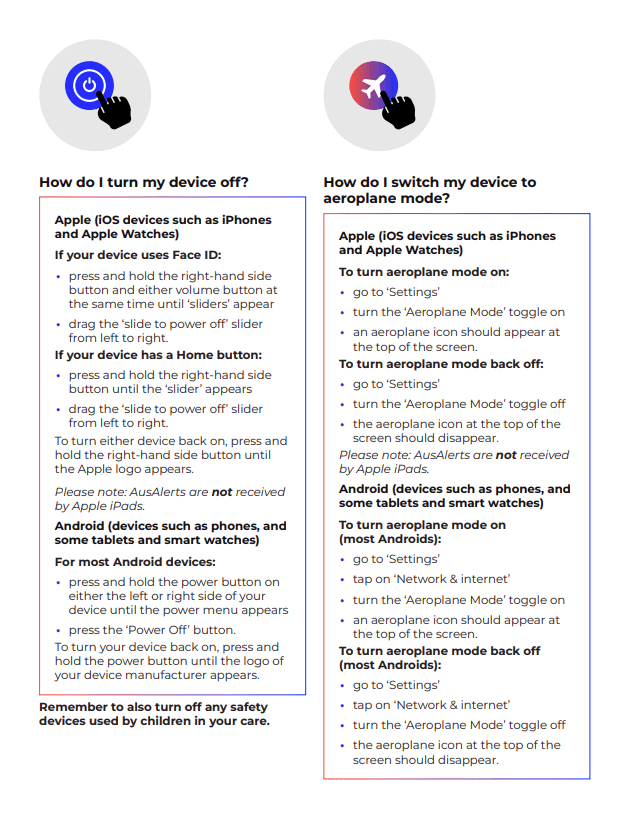
Source: AusAlert, Australian Government
What if I receive an AusAlert on my safety device?
If your safety device is turned on and receives an AusAlert, it may make a loud siren-like sound for about 10 seconds and then stop. This should only happen once, although you may receive another alert if new information about an emergency is shared.
Try to stay calm. If you aren’t safe, call 000 straight away and follow your safety plan.
If it’s safe to do so, read the AusAlert message and follow the instructions to keep yourself and others safe.
More information and resources can be found on the AusAlert website.